Frequently Asked Questions
1.Tag-Based Mirroring
Symptom: The tag position is reversed left-to-right or front-to-back compared to the actual position
Cause: The origin direction automatically selected by the system during one-click deployment does not match the on-site direction
Solution:
- Click 【Auto Deployment】, enable 【Coordinate Optimization】, and reselect the correct origin
- Manually adjust the beacon coordinates and orientation
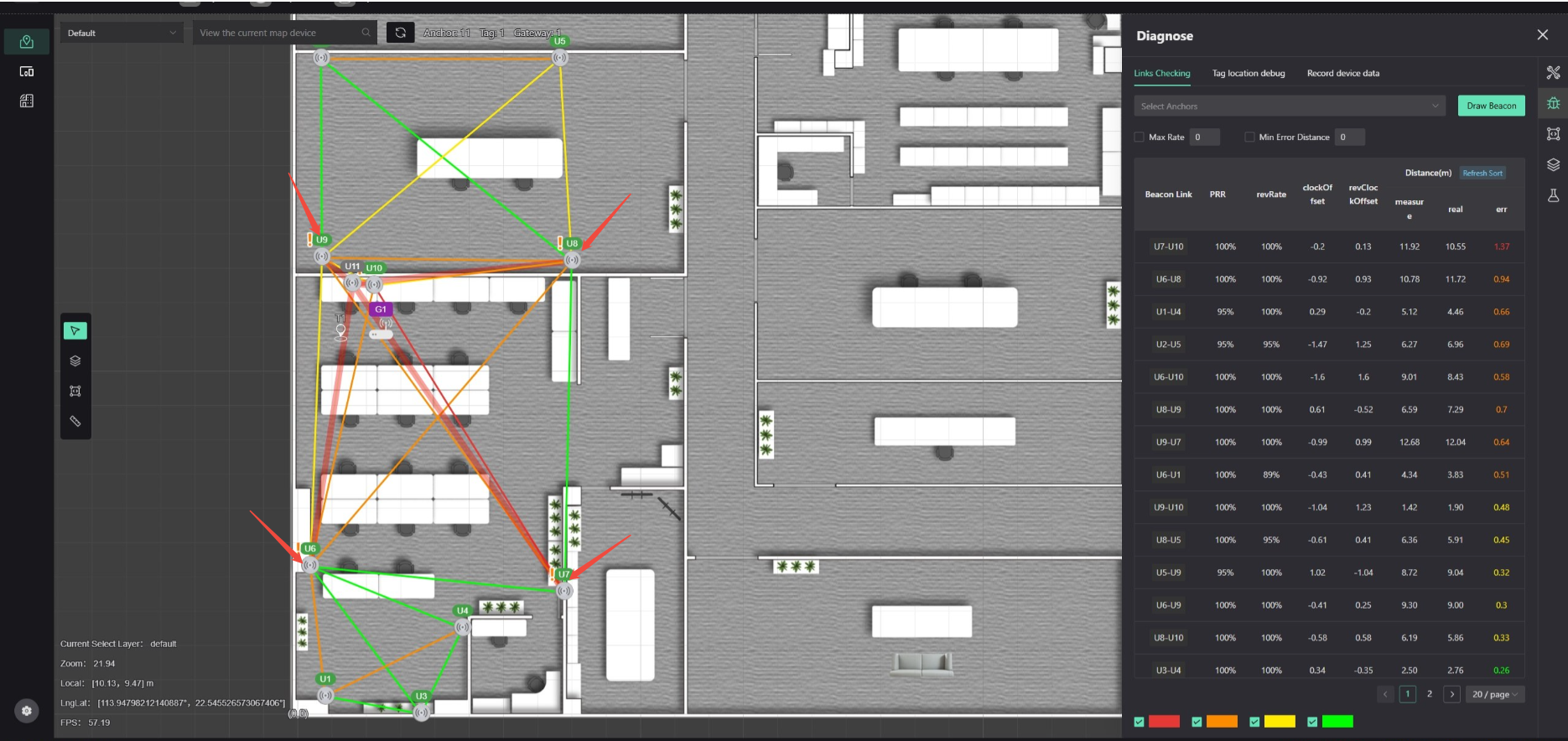
2.An exclamation mark appears on the beacon, and the link is semi-transparent red
Symptom: The beacon icon displays a yellow exclamation mark
Cause: There are disconnected links for this beacon
Solution:
- Check the link connection status (determine if the issue is caused by obstruction; if so, relocate the beacon)
- Delete the abnormal links
- Re-establish the links and synchronize the configuration
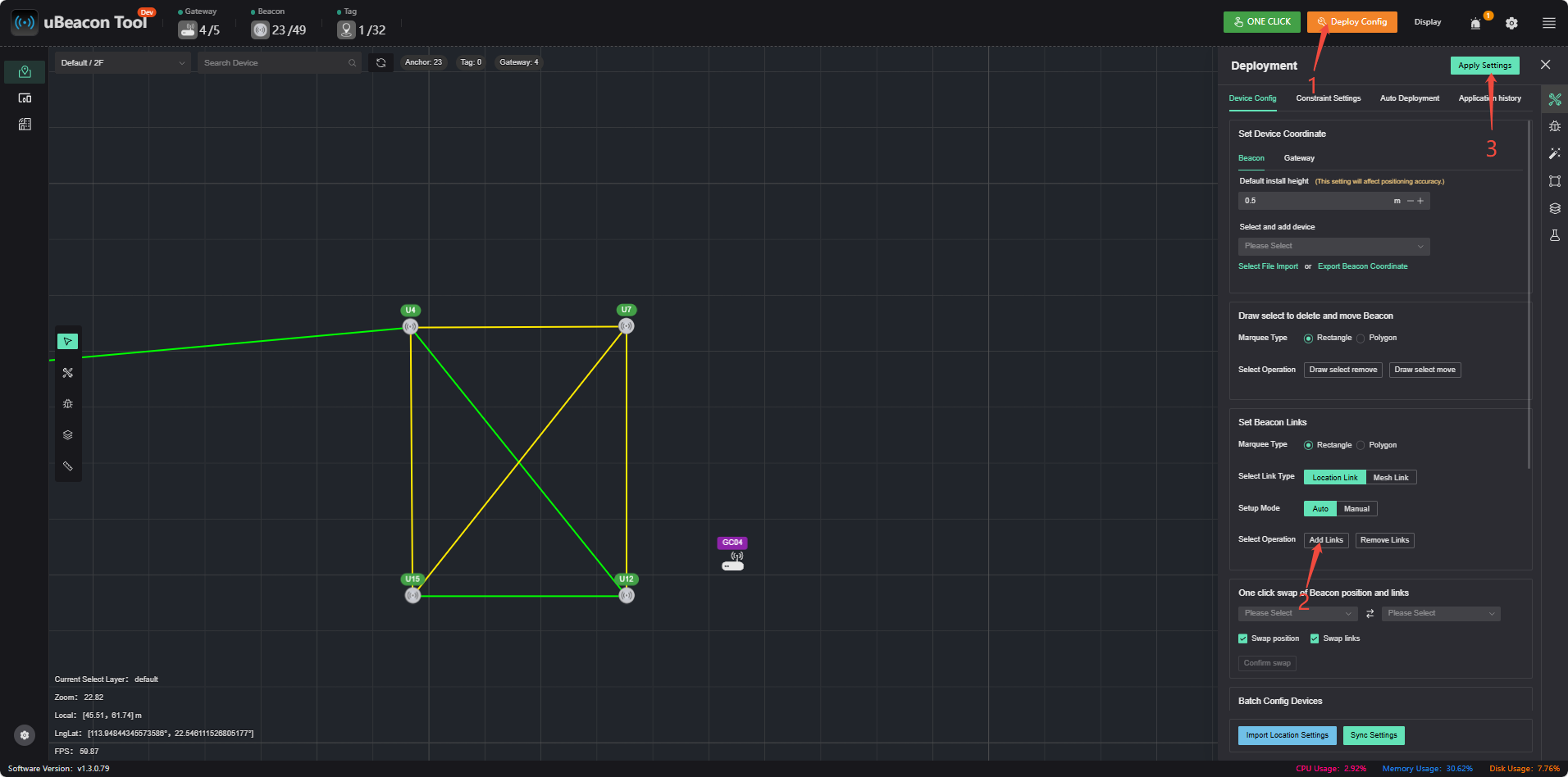
3.Although the tag is flashing normally, its location is not displayed in the software.
Reason 1: Link not established
Reason 2: Tag is out of range
Reason 3: Backhaul distance is too far
Solution:
- Check the link status, establish the connection, and synchronize
- Confirm the tag’s location
- Check the gateway deployment location
Parameter Synchronization Note: After clicking 【App Settings】, wait 1 minute for synchronization to complete
Status Explanation:
- Green: Synchronization complete
- Orange: Parameter synchronization not complete If the status remains orange for an extended period: Move the gateway closer to the beacon to synchronize
4.Why Does the Gateway Detect Fewer Beacons Than There Actually Are?
Cause: Some beacons are outside the gateway’s communication range
Gateway Coverage Range: 50 m with obstructions, 100 m in open, unobstructed areas
Solution:
- Adjust the gateway’s position
- Reduce obstructions in the way
- If the area is too large, add more gateways to expand the coverage range
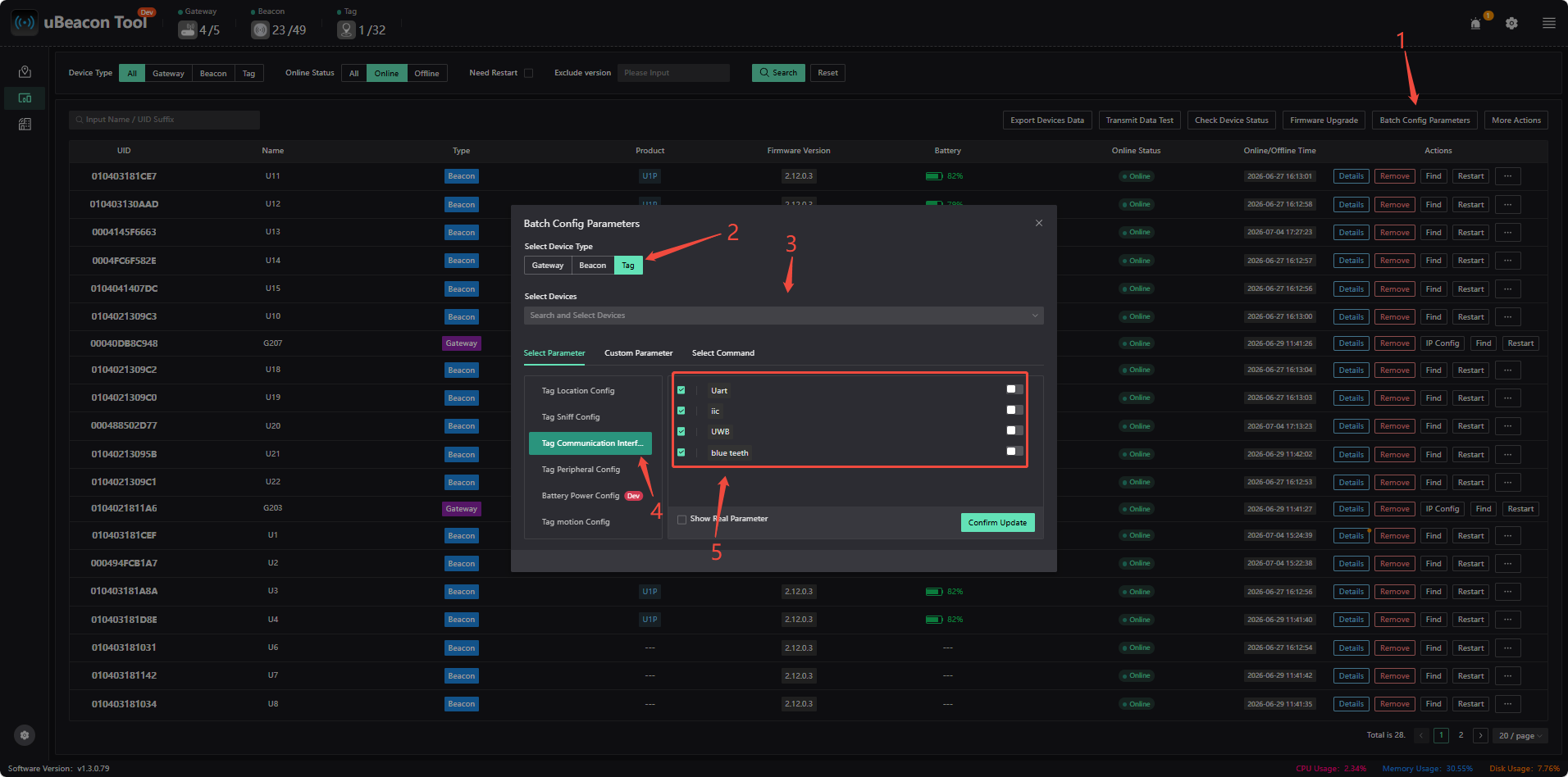
5.Steps for Enabling and Disabling the Serial Port and UWB
You can select the tags you want to toggle; if you don't select any, all online tags will be modified by default.
6.Continuous data is being output via the serial port, but no location is displayed in the ubeacon tool.
Reason: The tag is functioning normally, but UWB backhaul is not enabled, resulting in location data not being uploaded to the UBeacon Tool.
Enablement Steps:
(1) Select a beacon and enable 【EnableTagUwb】 (temporarily forces UWB backhaul to be enabled for 1 minute).
(2) After the tag comes online, click 【Batch Configure Parameters】 to enable UWB.
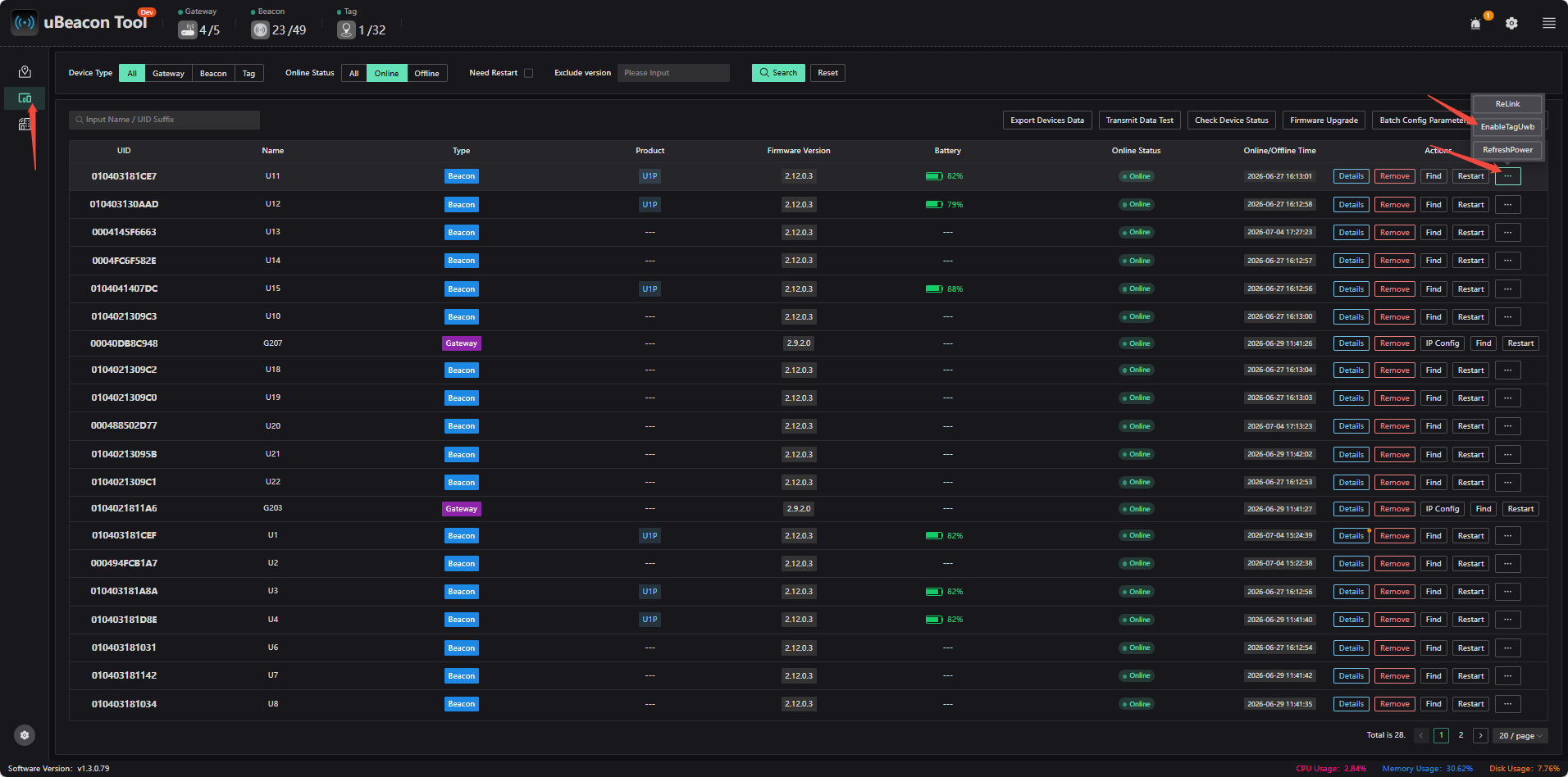
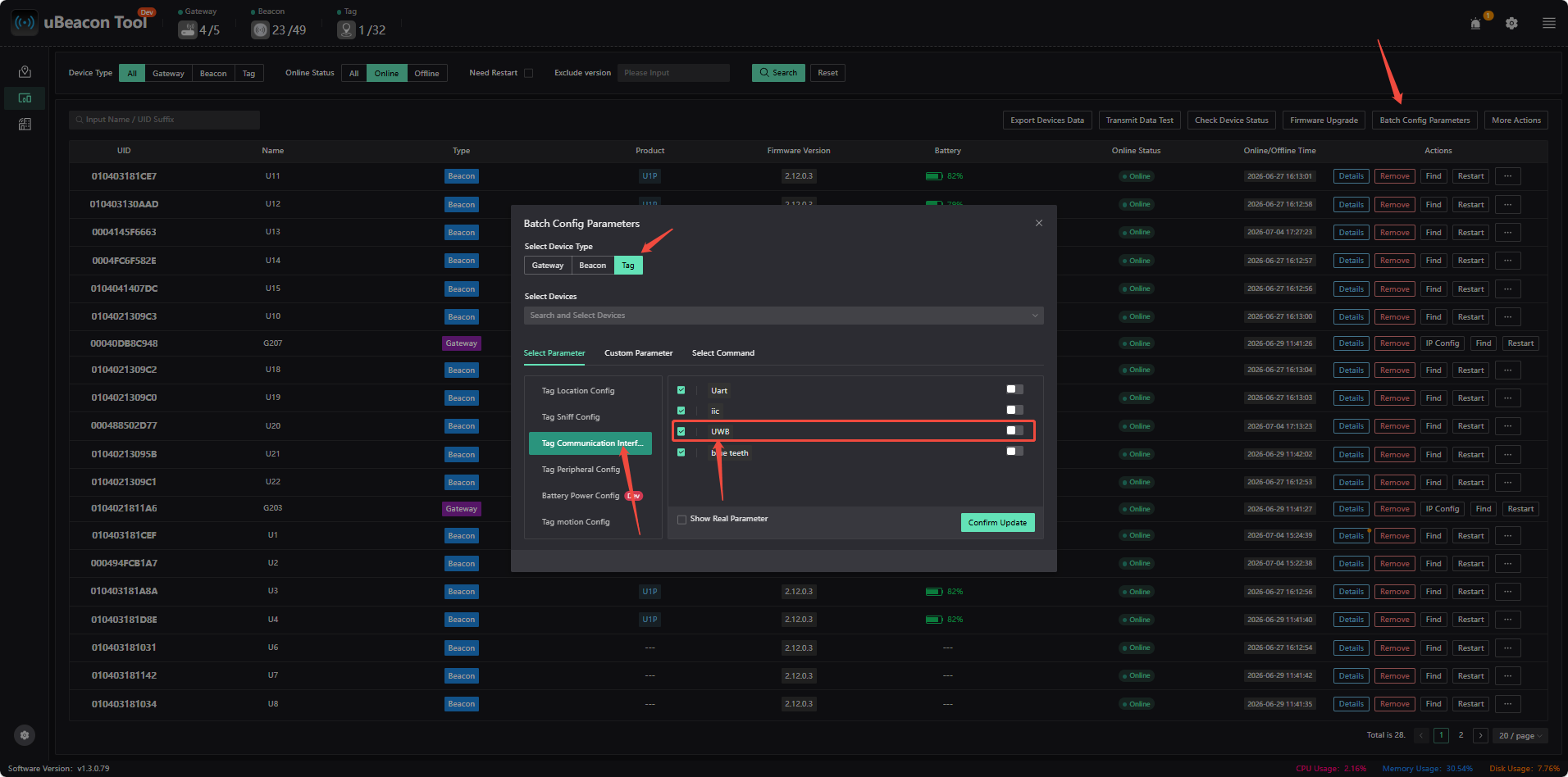
7.How does the serial port output data such as beacon coordinates, signal strength, and distance difference?
Open the tag device details (you must first enable debugging in Settings; the password is Nooploop), and enable it in TagParam
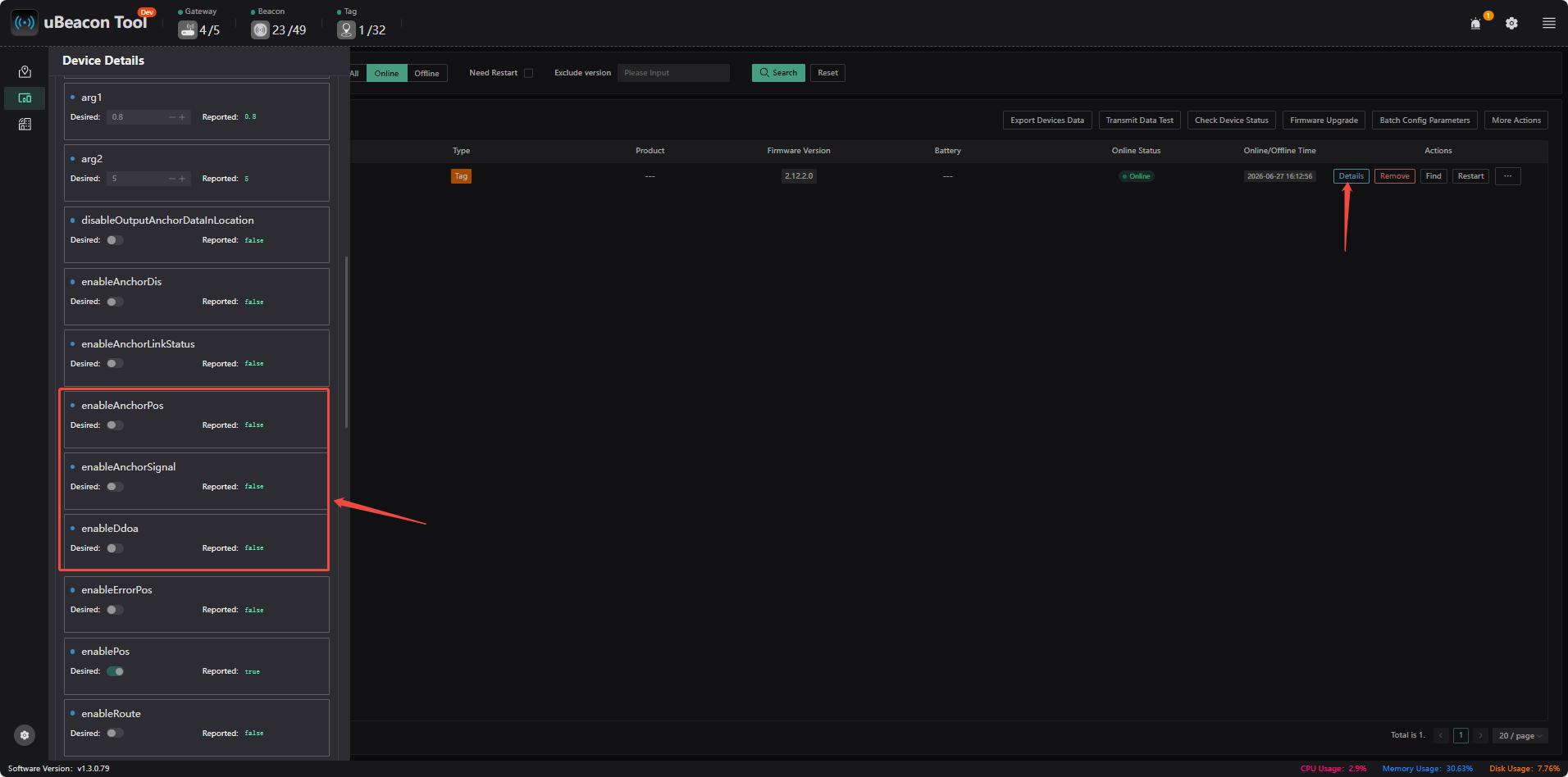
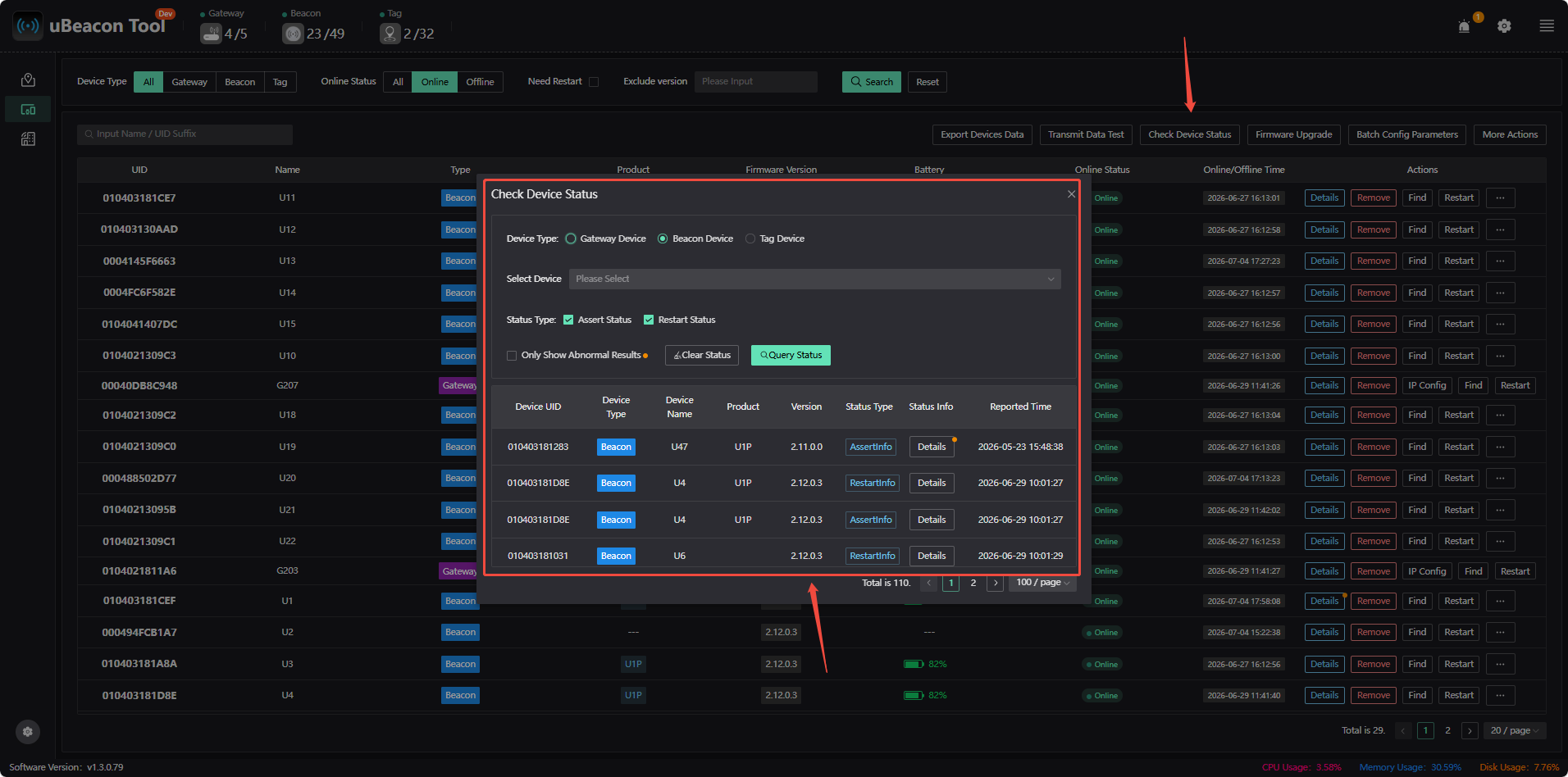
8.How to View Information on Device Abnormal Conditions
Symptoms: The device frequently restarts, goes offline, or malfunctions.
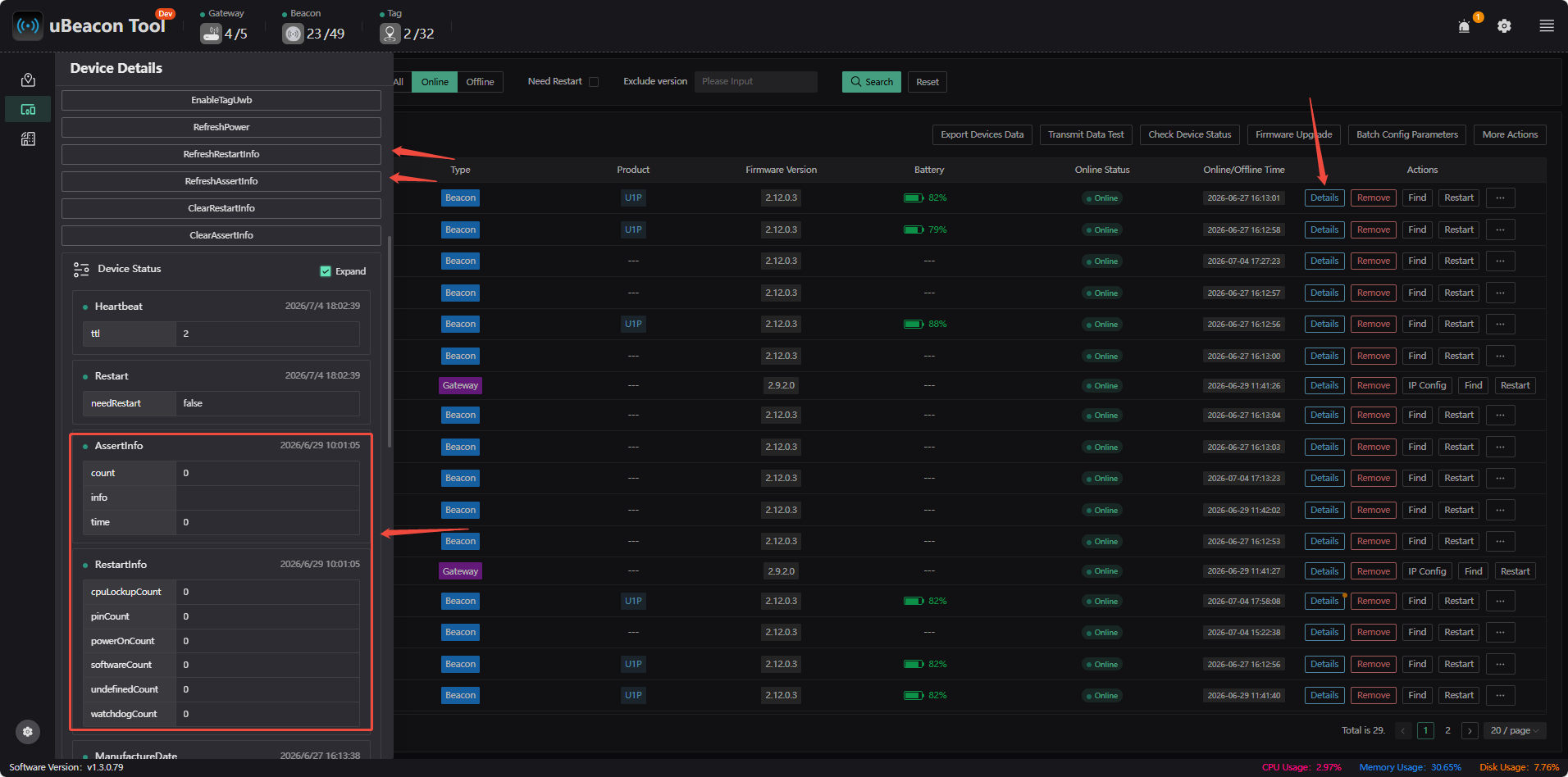
Viewing Error Information:
- Click on the device details. You can first click 【refresh】 (to refresh the device status), then view the assertion information and restart information under “device status.”
- Click 【Check Device Status】 to view
Abnormal Conditions: Assertion messages present, frequent automatic restarts, or unknown error messages
Recommended Action: Collect the Assert and Restart information and submit it to Nooploop engineers for analysis
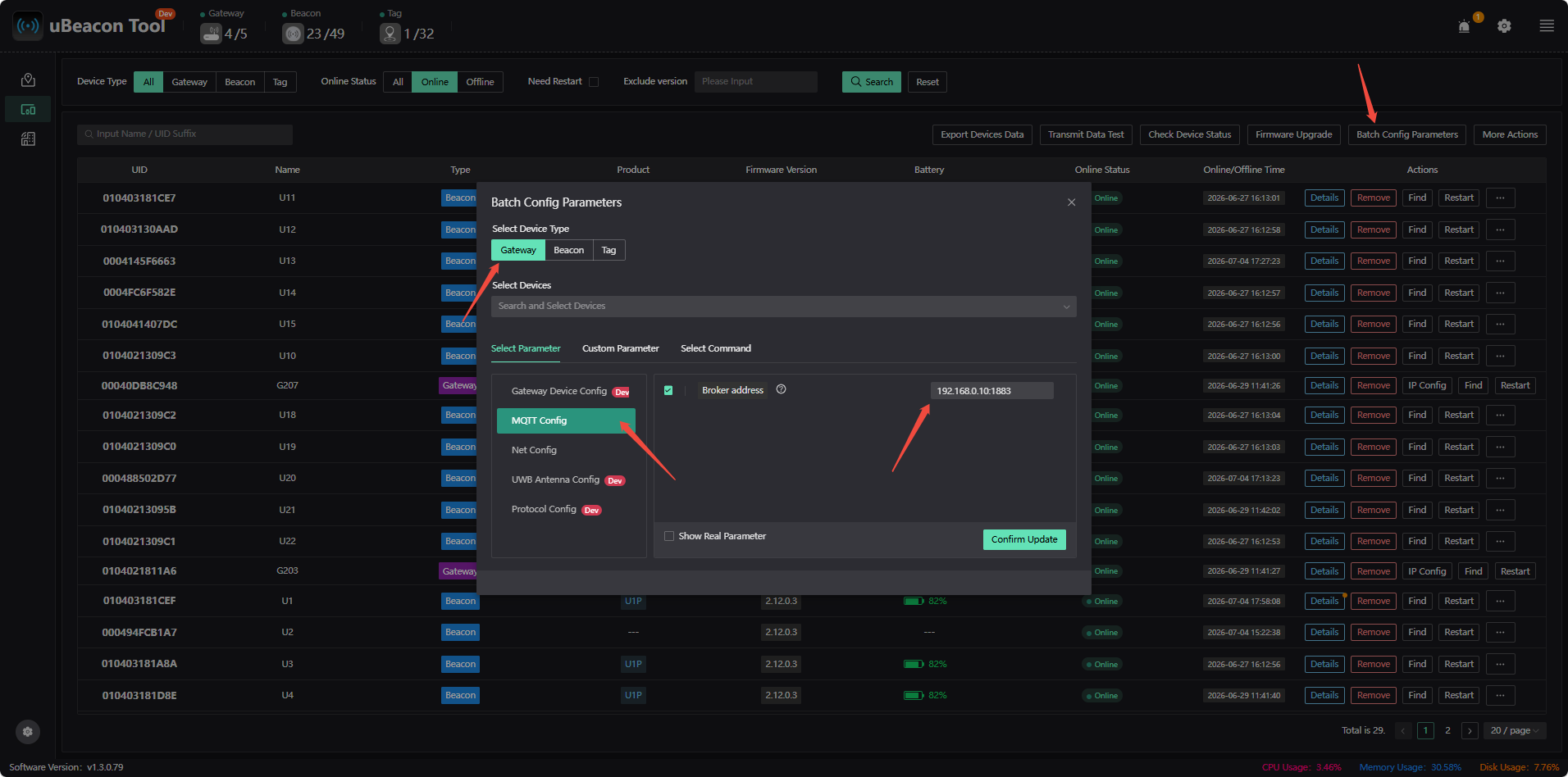
9.The gateway is connected via Ethernet but is not online
Reason:
- The gateway and server are not on the same local area network
- The gateway has not been configured with the target server's address; the configuration steps are shown in the figure below