Device Parameter Configuration
Anchor Parameter Configuration
1.Click on the map to modify: You can perform operations such as find, restart, IP config, and adjust transmission power.
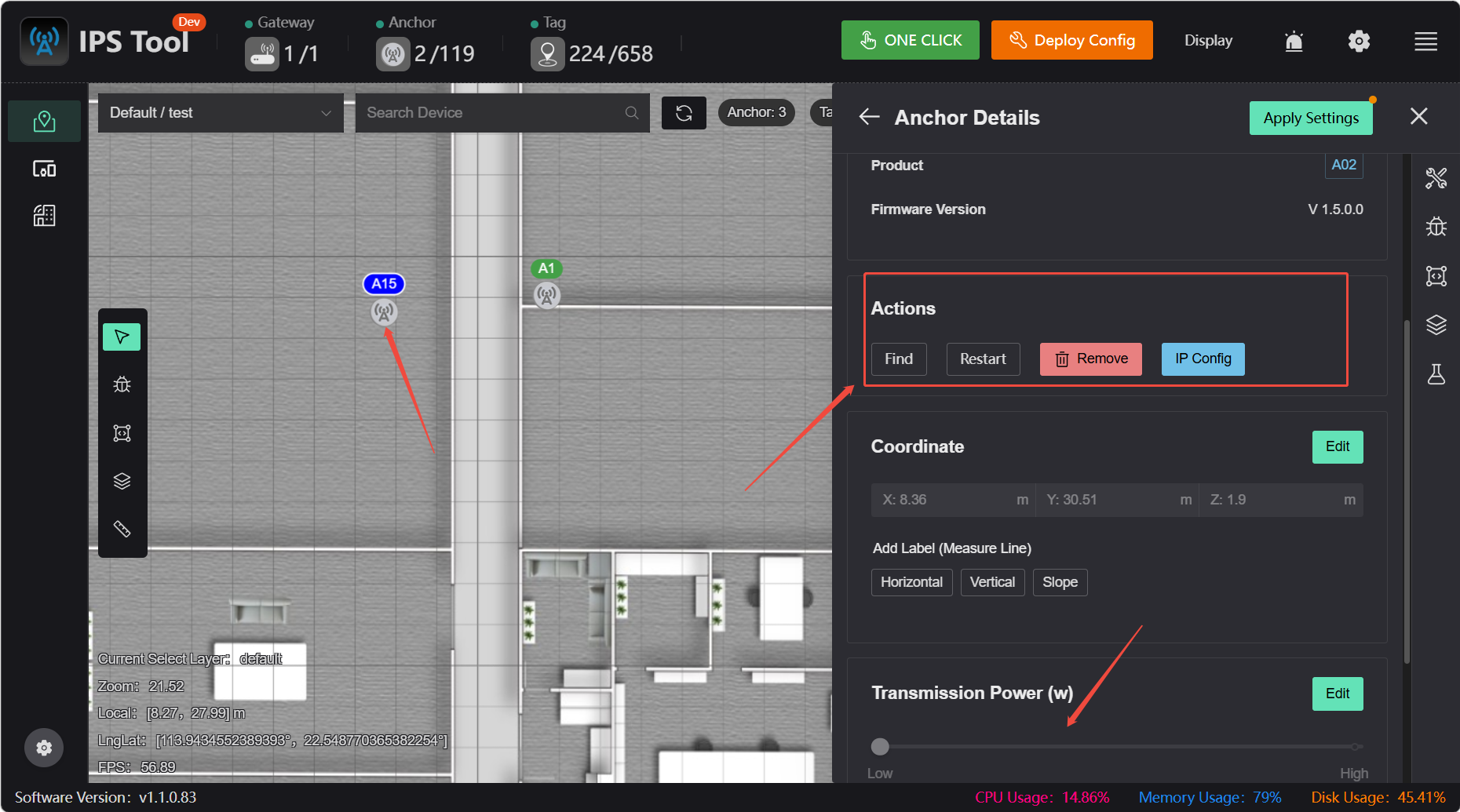
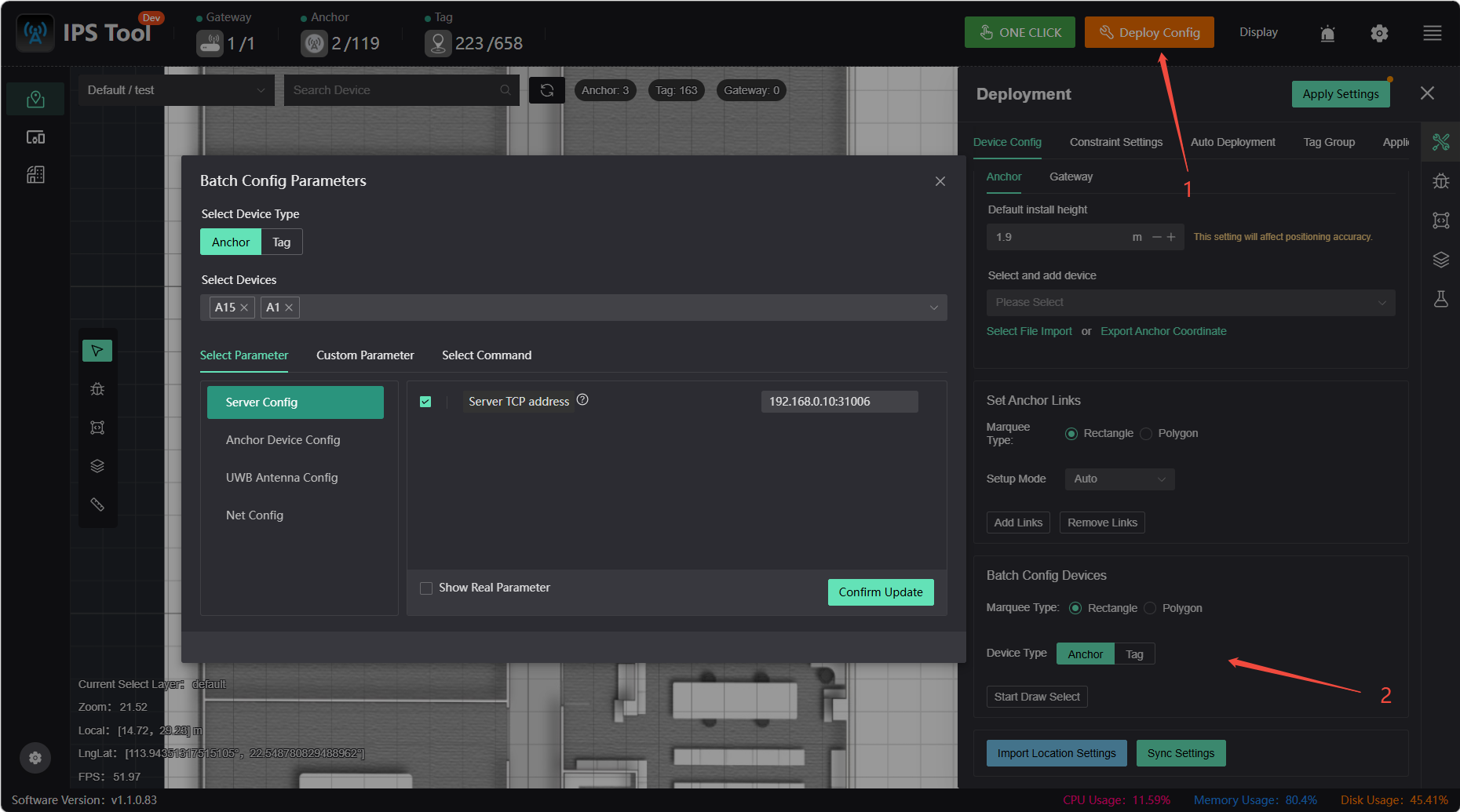
2.Batch Modifications: Set anchor target IP, anchor static IP, enable/disable anchoring, and adjust transmission power
- Main Interface: Deployment Configuration - Select to Configure in Bulk
- Batch Configuration of Device List
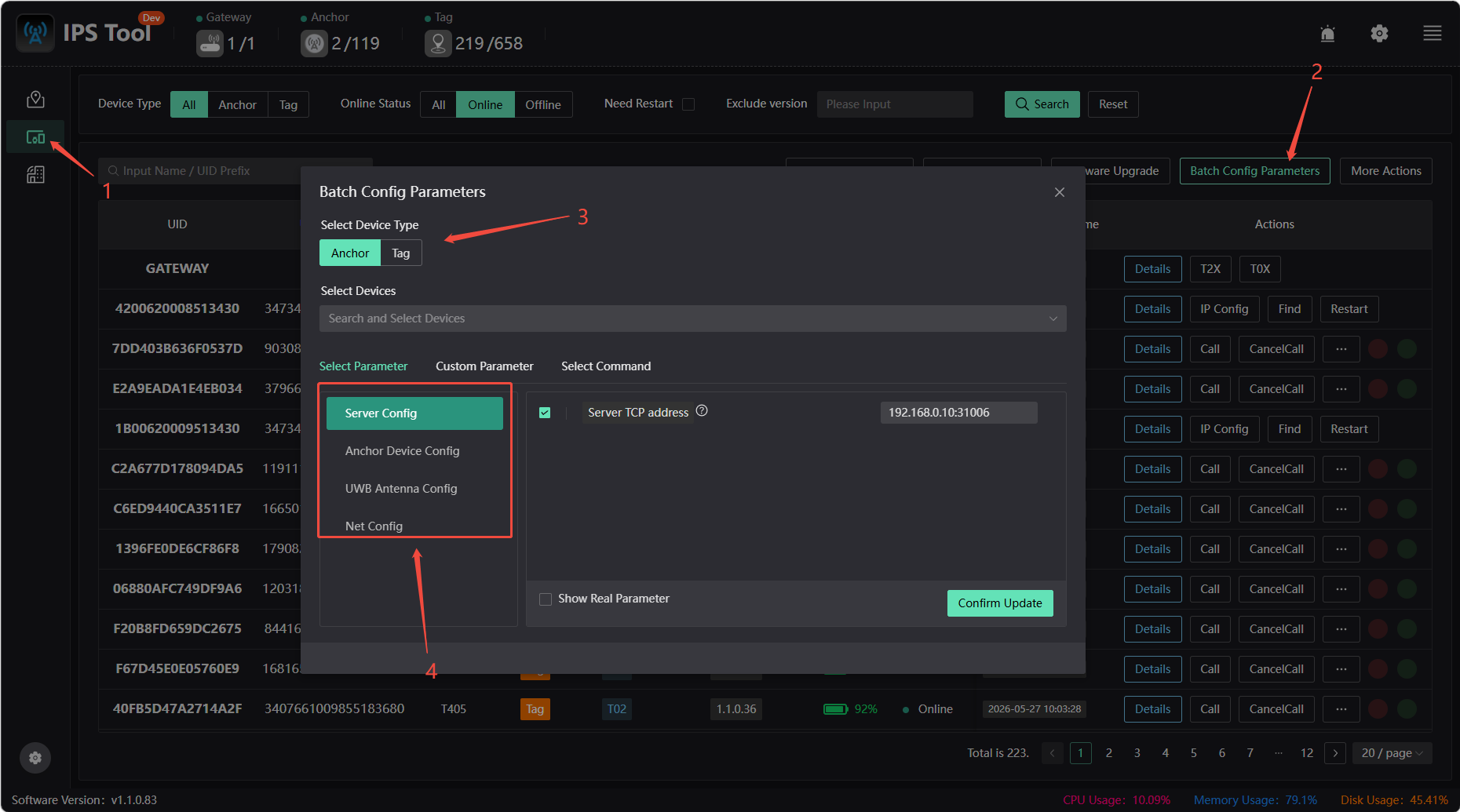
Anchor Target IP Configuration: To change the Anchor target server IP (ensure network connectivity): Enter the new server IP address in the “Server TCP Address” field (leave port 31006 unchanged), click 【Confirm Update】, then restart the Anchor device, and finally change your computer's IP address. Note: The default reporting address for Anchor is xxx.xxx.xxx.254
Configuring a Static IP Address for the Anchor: The Anchor is set to use a DHCP-assigned IP address by default. This procedure allows you to manually configure the Anchor's static IP address, gateway address, subnet mask, and other settings.
Find: After clicking 【Find】 the corresponding anchor will flash, making it easier to locate the specified anchor.
Restart: Click the 【Restart】 button to restart the anchor
Tag Parameter Configuration
Default Tag Parameter Settings
This configuration applies only to new tags being added to the system for the first time, serving as their initialization parameters. Tags that have already been deployed in the system will not be affected by this change.
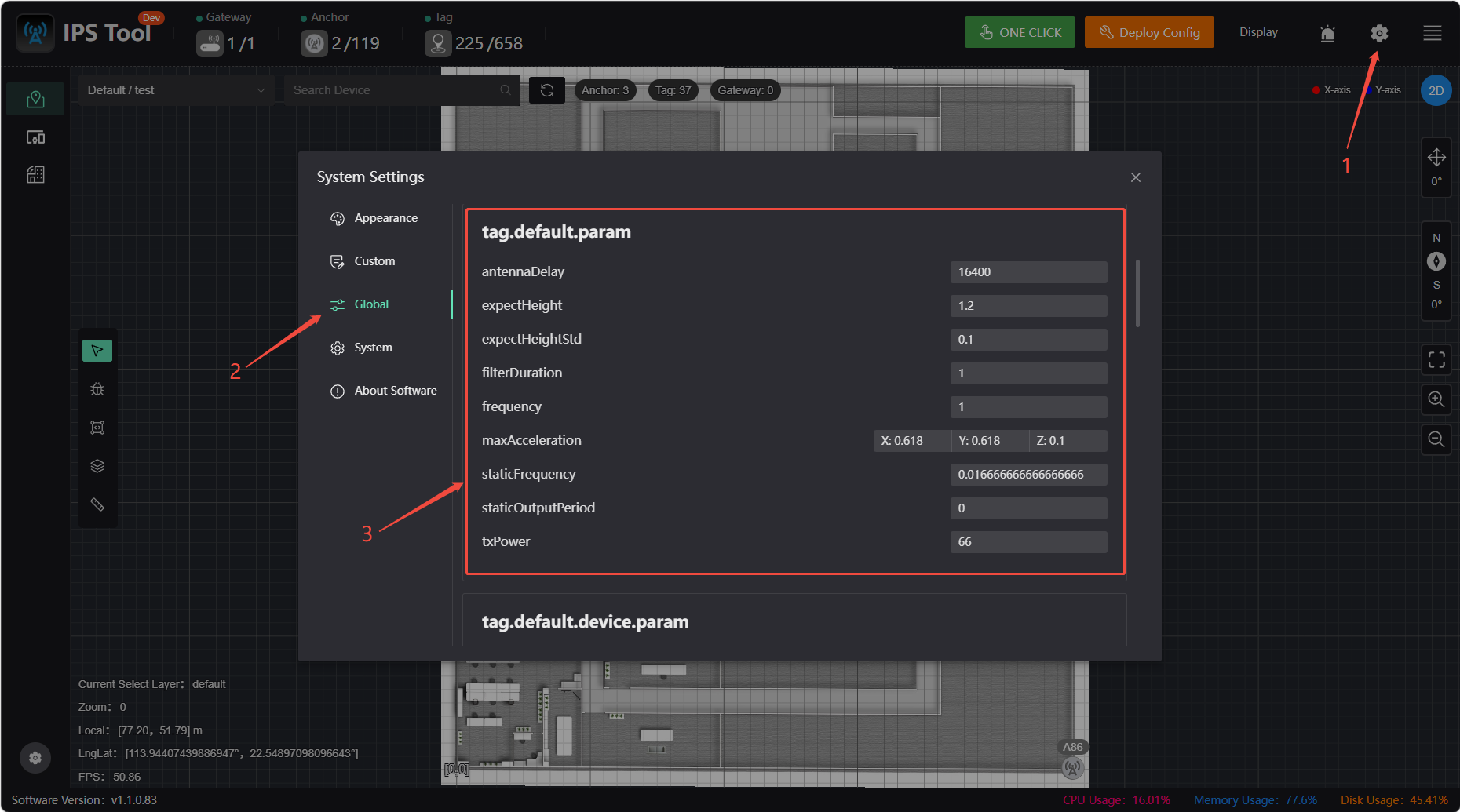
Modify tag parameters:
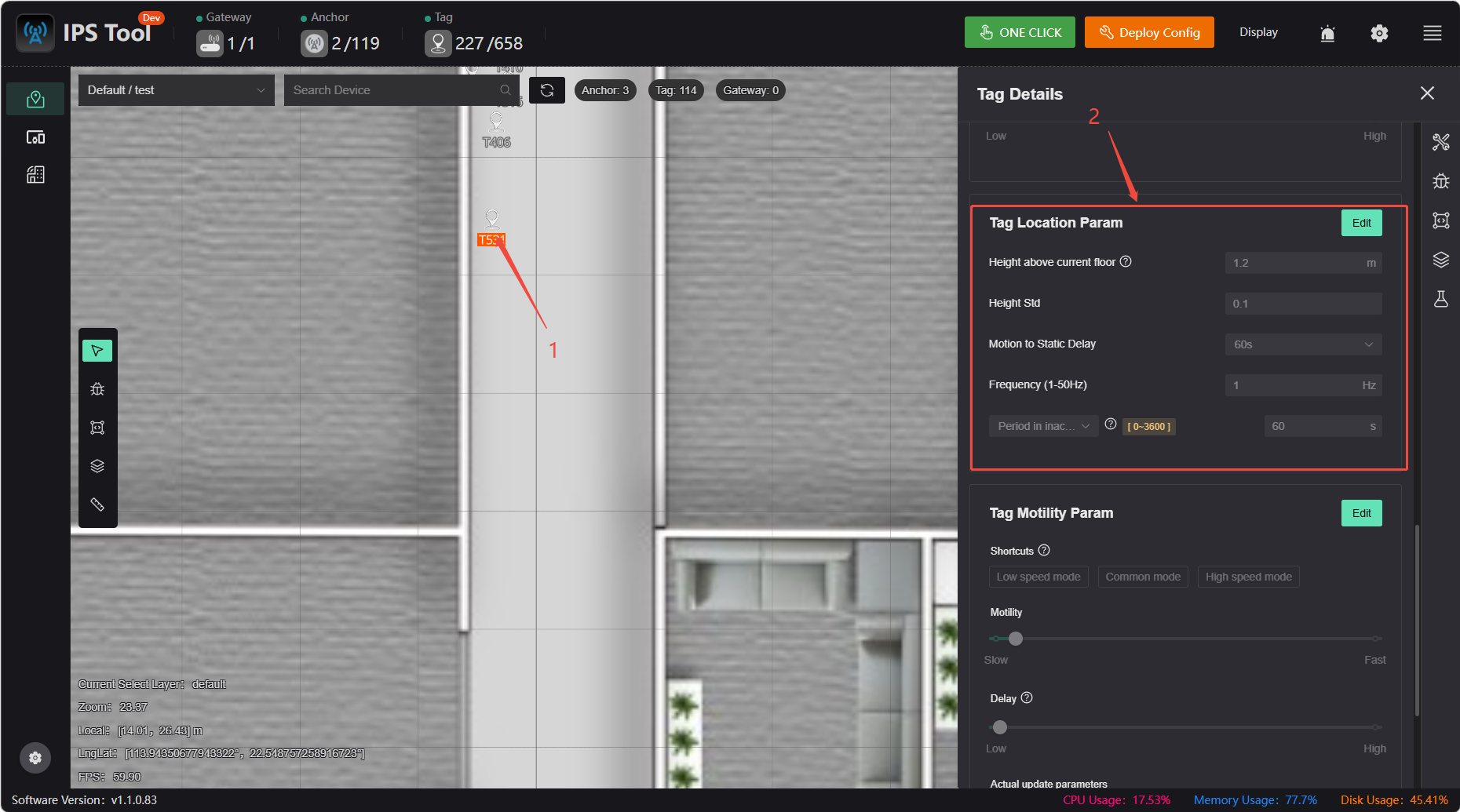
1.Click on the map to edit:
2.Batch editing:
- Main Interface: Deployment Configuration - Select to Configure in Bulk
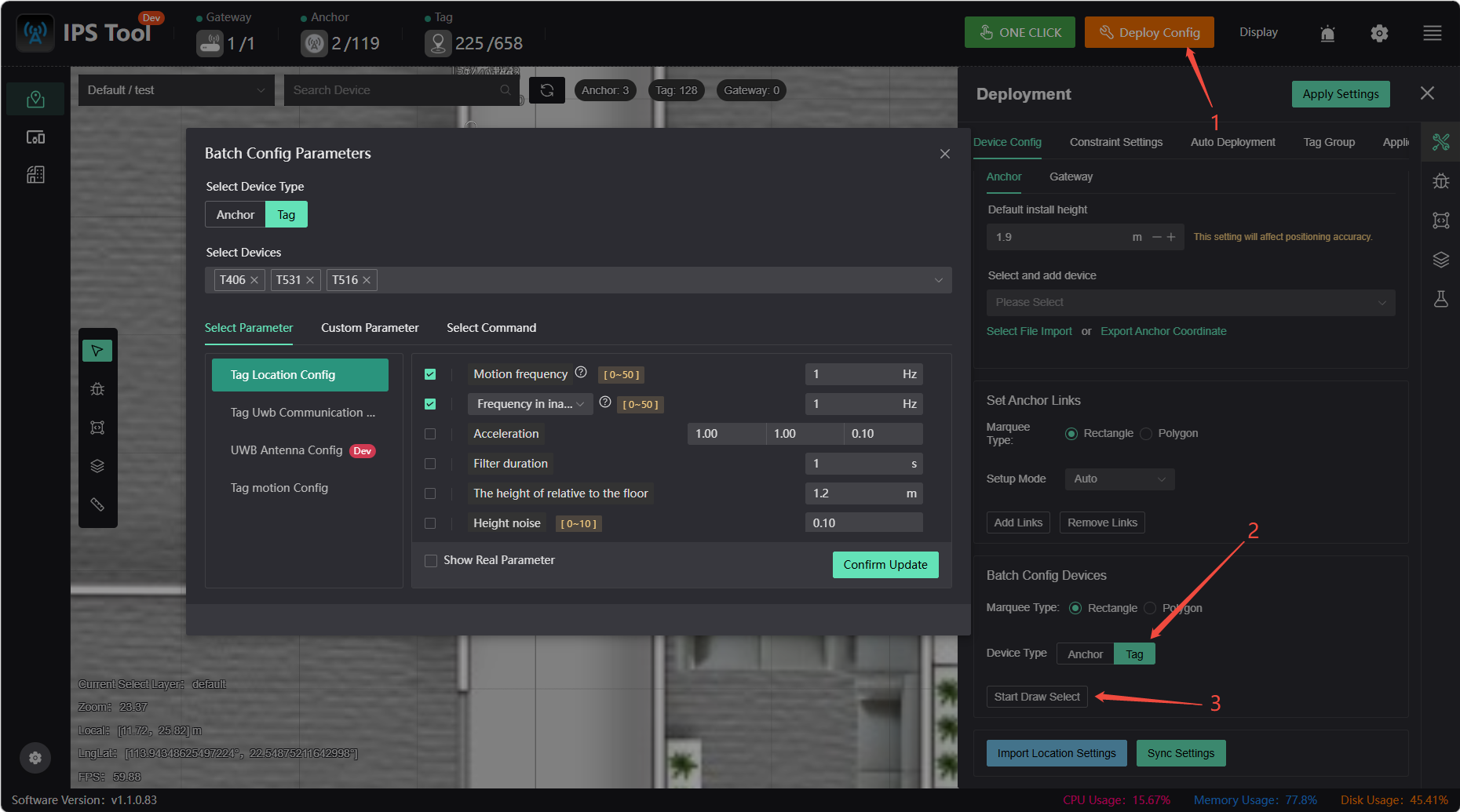
- Bulk Configuration of Device List
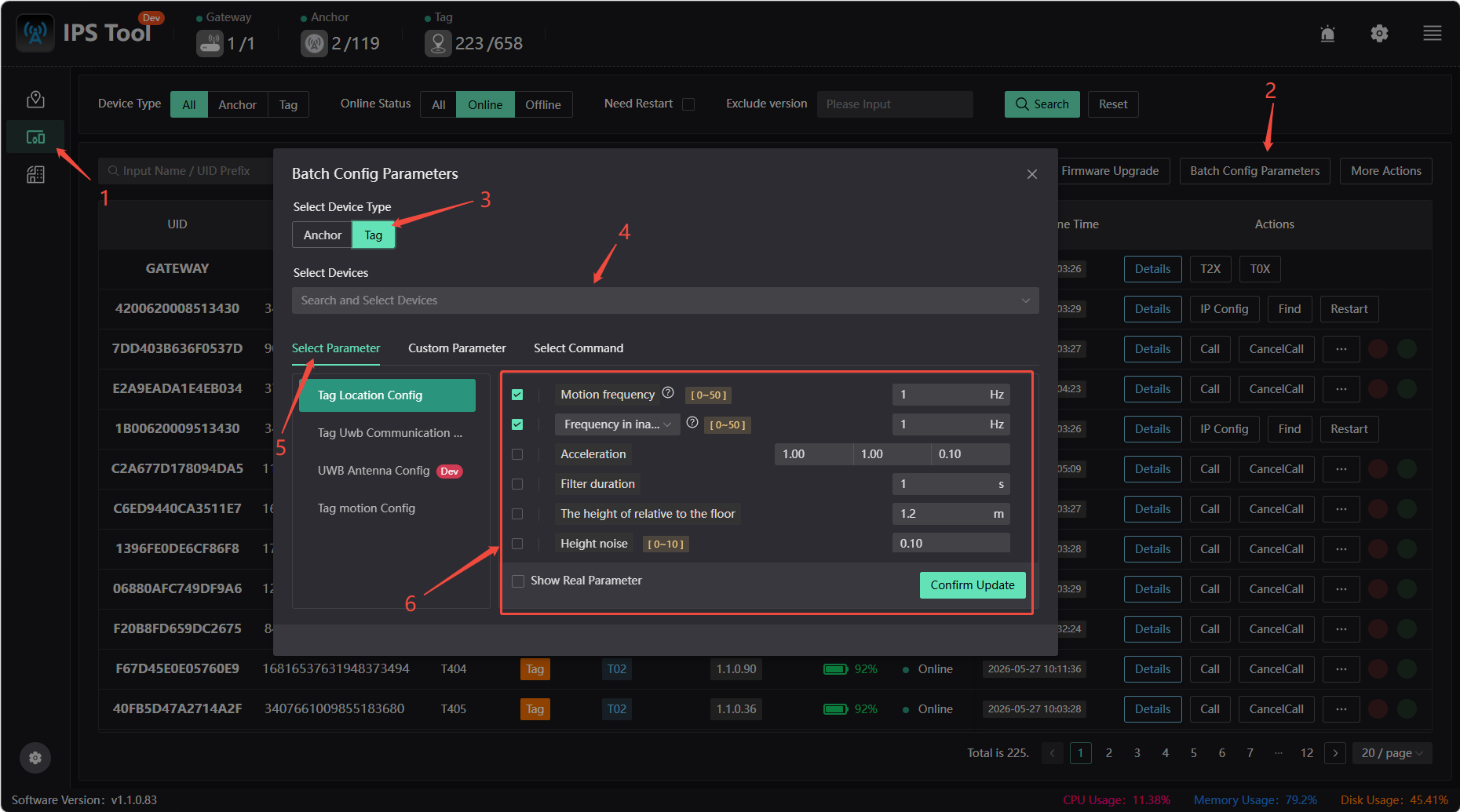
Transmit Power: In open environments, the default transmit power of 63 is sufficient for both the anchor and tags; setting this to 0 also defaults to 63. If multipath effects (where signals reflect off surfaces like glass or large metal objects, creating multiple propagation paths) are affecting positioning accuracy, you can appropriately reduce the transmit power to minimize the impact of these reflected paths.
Motion Frequency: The frequency at which the tag reports location data while in motion. The default is 1 Hz. A higher value results in faster location data updates, but power consumption and network load will increase accordingly.
Static Location Frequency: The frequency at which the tag reports location data while stationary. The default is 1 Hz. When stationary, the reporting frequency can be reduced to conserve battery power while maintaining basic location capabilities.
Stationary Positioning Interval: The stationary positioning interval ranges from 0 to 3600 seconds, indicating how often the tag is woken up for positioning while stationary.
Acceleration: Set based on the actual target’s mobility. Higher acceleration results in lower latency but also greater jitter.
Filtering Duration: The time window used to smooth positioning data. A longer filtering duration results in smoother positioning results but increases response latency.
Height Noise: Indicates uncertainty in the vertical direction. If the tag is expected to move within a range of approximately 1–2 m, it is recommended to set the height above ground to 1.5 m and the noise margin to 0.5 m.